7 min
Building at the Speed of Thought: A Week with Claude Cowork
A TRM product manager built a signal ingestion and synthesis system in one week using Claude Cowork, writing zero lines of code. He shares what he built, the prompts that worked, and what it means for how GTM teams operate.
There's a version of the product manager (PM) job where you spend half your time wrangling tools, pulling signal from different places, trying to make it actionable, trying to tie it to revenue. I'd been doing that version for a long time. I'd even built systems around it. None of them were that good.
One week with Claude Cowork changed more about how I operate than any tool I've adopted in years. This is my honest account of what I got wrong about using AI at work, what I got right, and what it means for how PMs and operators should be thinking about it.
Key takeaways
- Building a CLAUDE.md context file is the highest-leverage first step — it turns every session into a briefed collaboration rather than a cold start.
- Start with your biggest operational headache, not a KR. The metric follows the problem.
- Spec before you build. A clean brief handed to Cowork produces better output than iterating without direction.
- The ceiling is higher than you expect. If you're still doing something manually that Cowork could handle, ask first.
- Non-technical operators can now build production software through conversation. That changes who builds and what gets built.
What I actually built: PM Team Room
The project is called PM Team Room, an AI-assisted operating environment for a product manager.
The problem it addresses is straightforward: PMs spend most of their time on synthesis, not discovery. Reading call transcripts. Reviewing feedback tools. Tracking competitors. Writing specs. Preparing leadership updates. Most of this is analysis work — organizing and summarizing information that already exists somewhere in the organization.
PM Team Room attempts to automate that synthesis layer. The system ingests signals from across the tools a PM already uses: Gong call transcripts, UserVoice feedback, Slack conversations, competitor products, industry news, and regulatory developments. It converts those inputs into structured product thinking — opportunity summaries, spec drafts, competitive briefs, leadership updates, and operating reports.
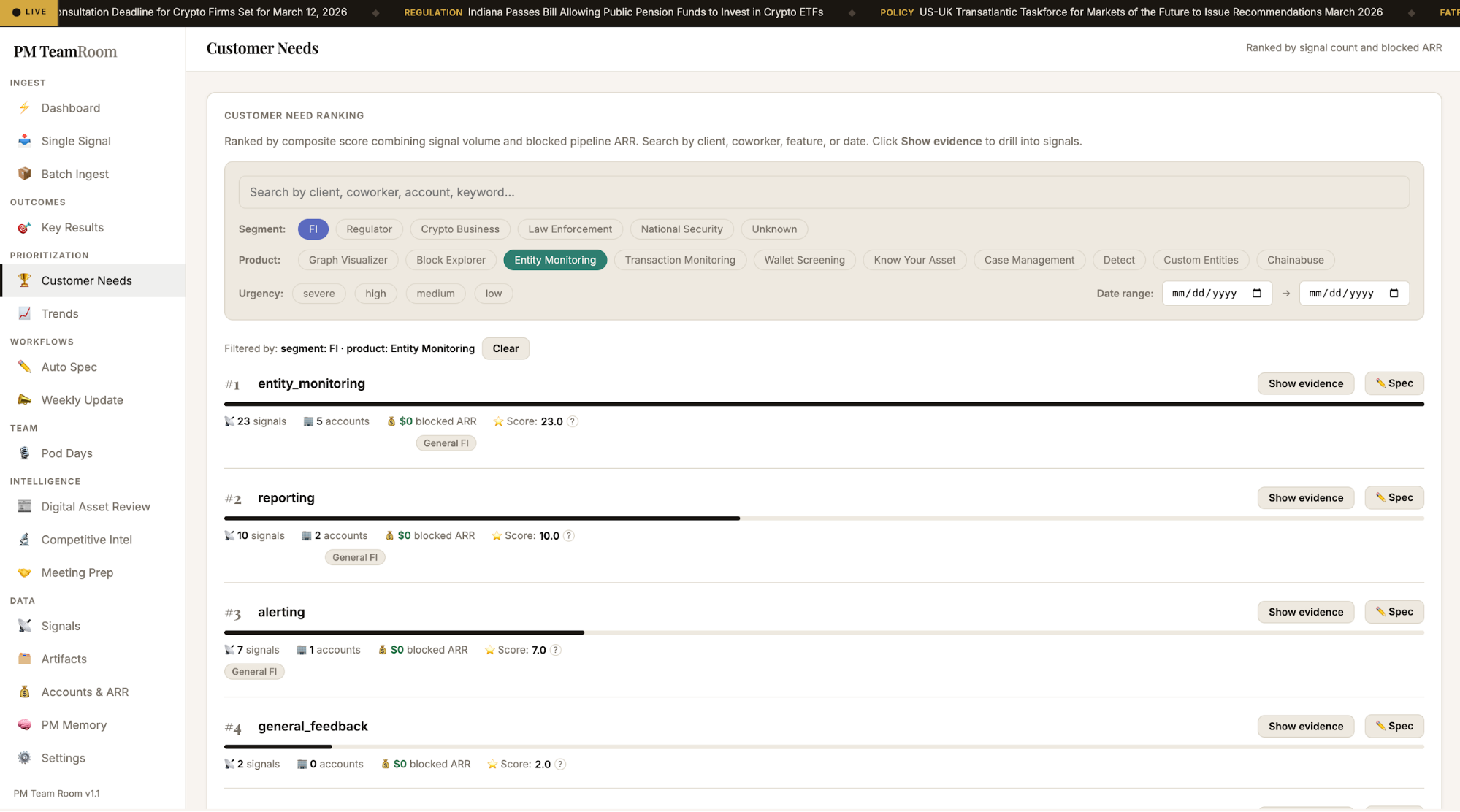
PM Team Room augments PM judgment — shifting what the PM does, not replacing it. Instead of manually gathering and synthesizing fragmented information, you work with AI-generated analysis and spend your time on what requires human judgment: prioritization, trade-offs, and strategic calls.
The biggest organizational shift: Removing the entry barrier
The most important thing Cowork does at the organizational level is widen who can build.
On the go-to-market (GTM) and business side, building has always had a tax on it. You needed to be comfortable in a terminal, or you needed an engineer. Cowork removes that friction entirely. There's no setup intimidation, no tool installation gauntlet. It changes who participates in building, which changes what gets built and when.
First step: Build your context file
Before I touched any project, I created an "About Me" markdown file: a structured description of how I think, how I communicate, where I'm strong, and where I'm not. I had an LLM I'd been using for months write up its opinions of me, supplemented it with a voice note, and formatted the result for Claude to consume.
Once that file is loaded, you're working with something that's been properly briefed and starting from a much stronger baseline than a blank context.
Where to actually start: Build from pain, not metrics
The first thing I'd tell a new Cowork user: don't start with a key result (KR).
The PM instinct is to frame everything as an outcome, like "eliminate time spent on X." That framing is useful when you're scoping work, but it's too narrow when you're in exploration mode. It closes off the exploration and learning space before you understand what's actually possible.
Instead, ask yourself what the biggest operational headache in your week is. What takes three hours that should take 30 minutes? For me, it was getting all the different noise in one place, identifying signals within the noise, making it actionable, and tying it to revenue. That's what I built toward.
Start from your personal pain point, and the KR follows naturally.
Spec first, then build
Before Cowork, I was already using voice notes and ChatGPT to think through problems. What I changed was the handoff from ideation to execution.
Once we'd scoped the problem, I asked ChatGPT to take everything we'd built from a previous prototype tool and write a full product spec formatted for a full-stack engineer. That spec went into its own markdown file. Then I gave Cowork one instruction:
That single prompt kicked off a multi-hour build session. Cowork read the spec, asked clarifying questions about the data model and API design, then built the entire FastAPI backend, SQLite database, signal ingestion pipeline, and single-page frontend without me touching code.
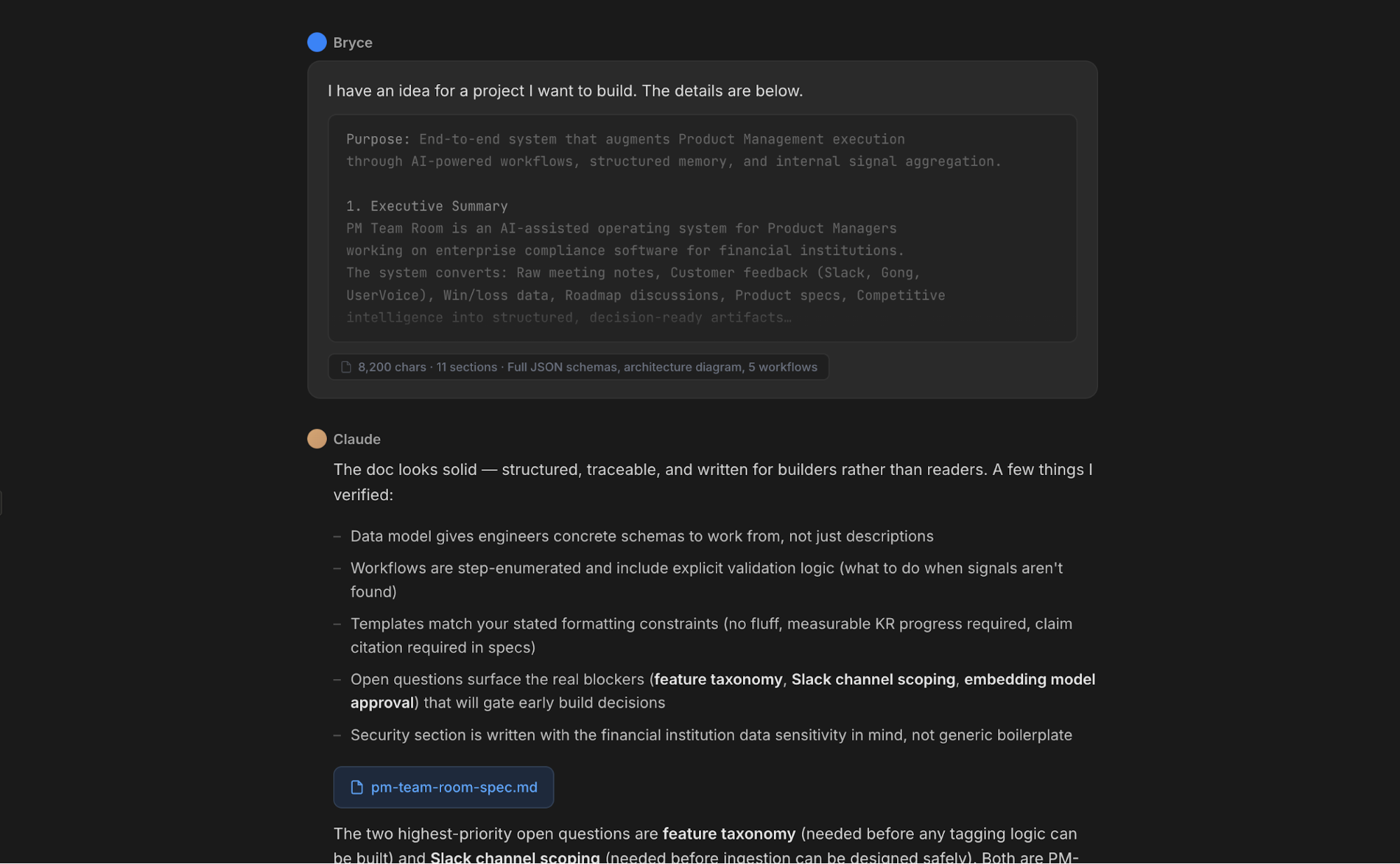
The lesson: Use the right tool for the right phase. Spec before you build. Hand off a clean brief. Iterate from there.
The row 38 moment
At one point, Cowork needed me to update a specific row in a file. It told me which one. I opened my terminal and did it manually, because that's what I'd trained myself to do with other tools. Then I stopped and asked myself: “Why am I doing this?”
I asked Cowork to do it instead. And it did.
That sounds small, but it's not. ChatGPT and Cursor had real limits on what they'd execute on your behalf, and I'd internalized those limits without realizing it. The ceiling with Cowork is higher than you expect, consistently. The lesson is to just ask.
Stop describing. Start showing.
I don't write paragraphs to describe things anymore. Screenshots, screen recordings, and design references all communicate faster and with less ambiguity.
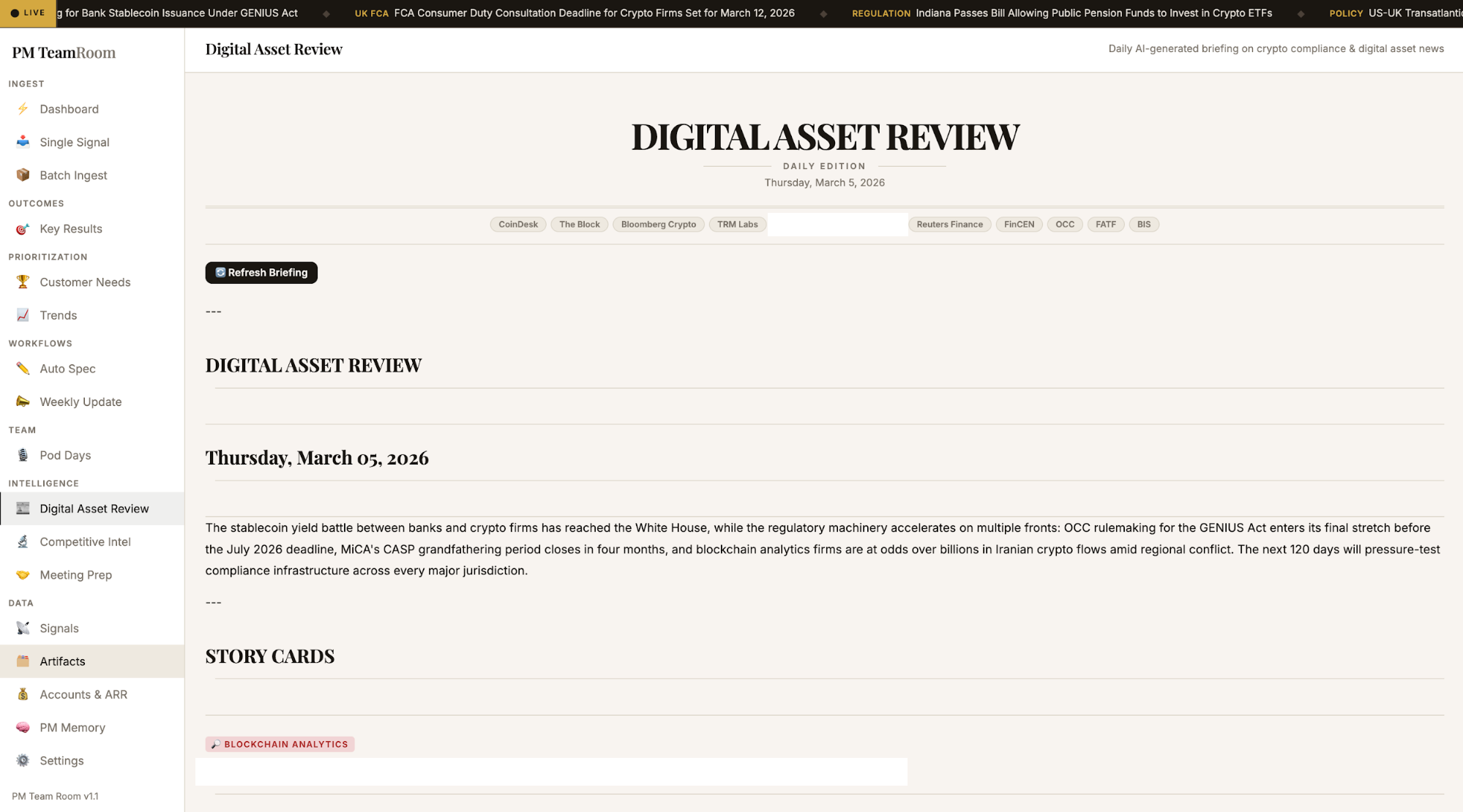
When I wanted a specific aesthetic for PM Team Room, I didn't write out a description of the design language I wanted. I pulled up a leading global news site, took screenshots, shared them with Claude, and said:
This is what I want. Clean, classic but modern, minimal color.
That was the entire prompt. It worked.
Delegate discovery, not just tasks
The most important shift in how I use Cowork isn't using it to do things I already knew how to do. It's using it to do things I would have underspecified or skipped — for example, a daily brief.
I wanted a daily roundup of digital asset news relevant to financial institutions and regulators. Previously, I would have done the legwork to find the best sources and research their formatting and content styles. But this time, I told Cowork:
I didn't list sources. I didn't enumerate formatting rules. Claude handled source discovery, layout, and delivery structure. The pattern: don't over-constrain the system. Define the outcome, set the quality bar, and let it reason.
Building features by talking
Once the system was running, I kept adding to it the same way. Natural language, no code. I'd been reviewing customer feedback and realized I couldn't filter by which TRM product the feedback was about. So I said:
Within minutes, Cowork added a product_area column to the database, backfilled 1,369 existing signals using feature-area mappings and keyword heuristics, wired the filter through the API, and rendered a new row of toggle pills in the UI. No branch, no PR, no deploy. Just working software.
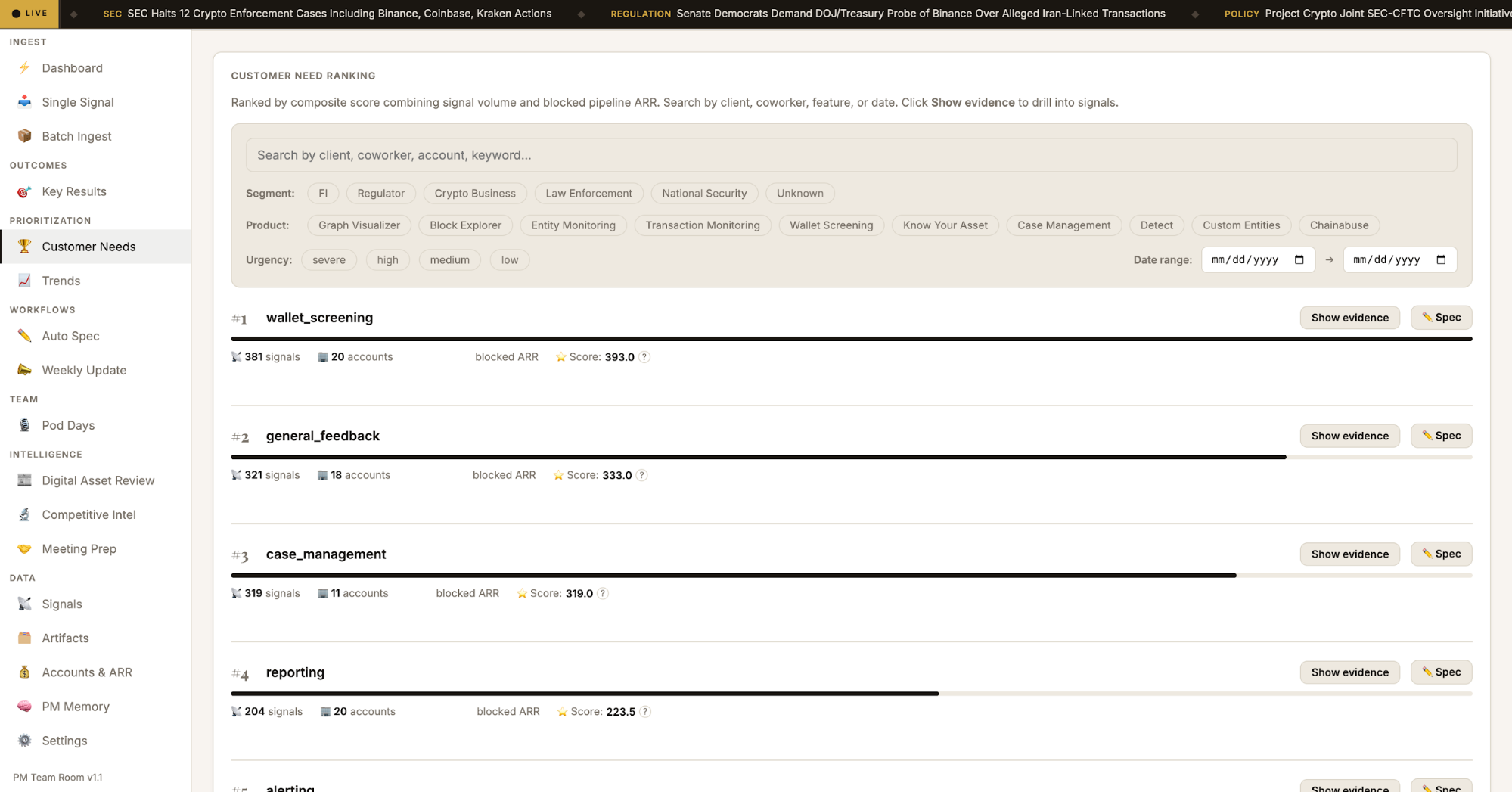
The same thing happened with customer segments. I wanted to toggle between FI, Regulator, Crypto Business, Law Enforcement, and National Security feedback. I was able to achieve end-to-end implementation from a single message: database migration, backfill from Salesforce segment data, API parameter, frontend pills, and active filter banner.
The prompts that actually work
After a week of heavy use, here's what I've learned about prompting Cowork effectively:
Be a delegator, not a describer
Tell Cowork what you want to exist and what quality bar it should hit. Don't enumerate implementation steps.
Show, don't tell
Screenshots and screen recordings beat paragraphs every time. A reference image communicates more design intent than a page of adjectives.
Set the role
"Review this as if you're a CTO" or "think like a product operator preparing for CEO review" changes the output quality.
State your constraints, not your solutions
"I need this to work with our existing SQLite database" is better than "use an ALTER TABLE to add a column." Let Claude pick the implementation path.
Iterate in the same session
Context compounds. The fifth request in a session is better than the first, because Claude has learned your system, your terminology, and your standards.
What this means for how we work
At TRM, we're not deliberating whether to engage with AI tools. We're competing to go further with them, faster. That's as true in product and GTM as it is in engineering. TRM's recent launch of Co-Case Agent — an AI assistant built into every crypto investigation — is one expression of that commitment.
Being at the frontier is the expectation. Cowork is one of the clearest expressions of that I've seen, and it's not limited to one function. PMs, operators, and go-to-market teams: the tools are ready. The question is whether you’ll use them to expand your own potential.